Invite someone to Baseline
Adding a coach or a colleague so they can sign in.
Open Settings from the menu under your name, then press “Invite”.
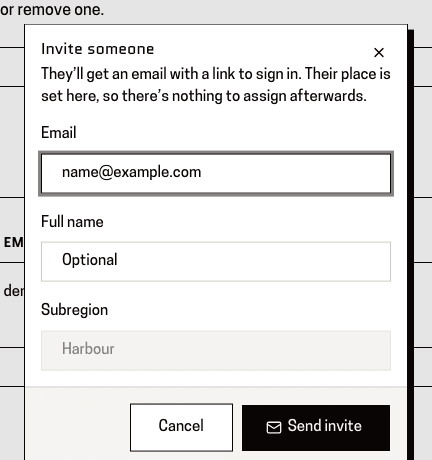
You'll know it worked when: A box headed “Invite someone”, with spaces for their email address and name.
Type their email address. Use the one they'll actually sign in with.
You'll know it worked when: The address in the box.
This is the address the sign-in link goes to, and the only one that will work for them. Getting it wrong is the usual reason an invitation never arrives.
Fill in their name.
You'll know it worked when: Their name and email address in the boxes.
Admins are also asked for a role and a subregion. A lead isn't — an invitation you send always makes a coach in your own subregion.
Press “Send invite”.
You'll know it worked when: A message saying “Invite sent”.
Worth sending them the link to /how-to/signing-in too — it works before they have an account, and covers the part people get stuck on.
This page is for: Sub-association lead, Association lead, Admin.